
How I Improved Core Web Vitals & Increased Website Speed for Better SEO Performance
Overview :
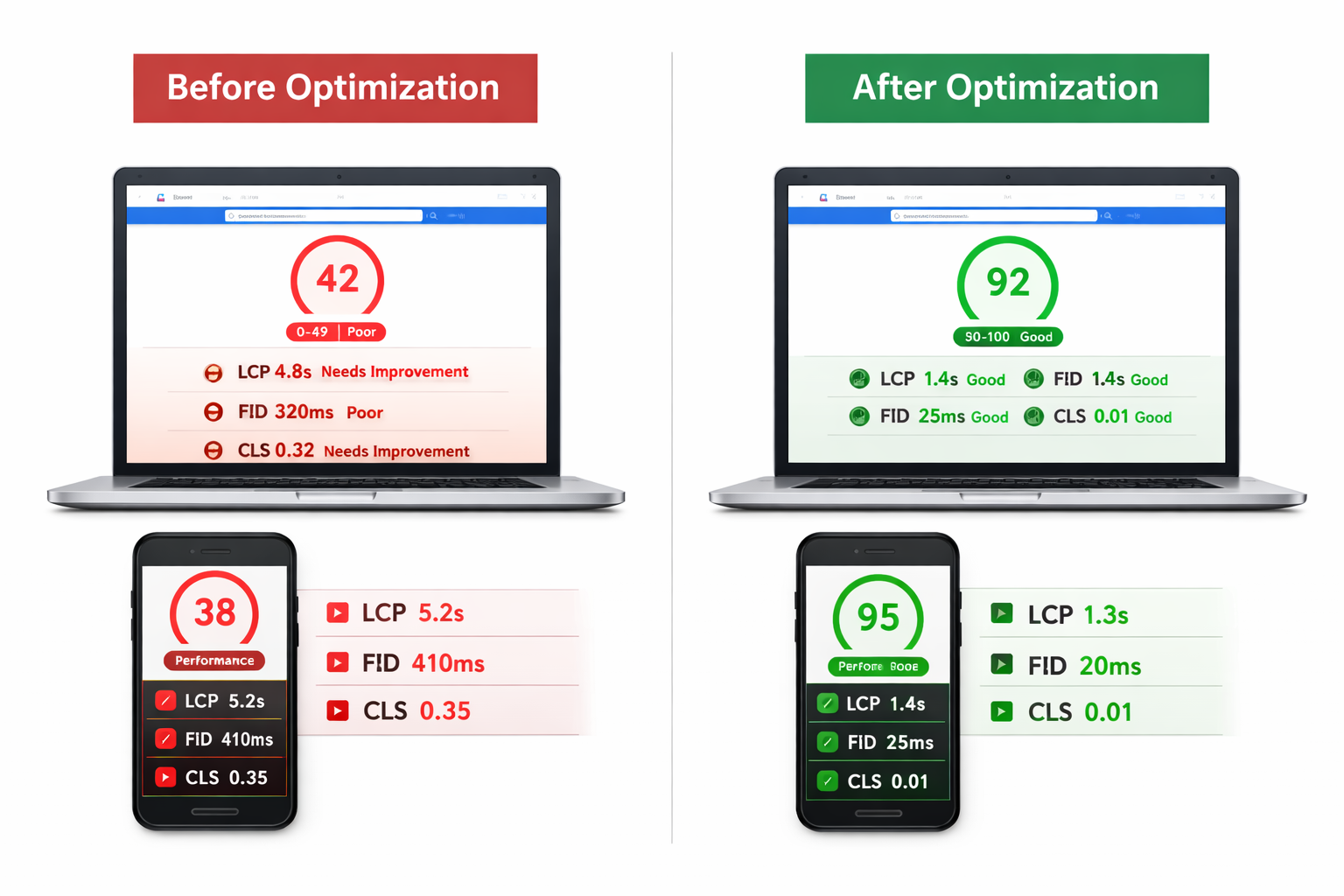
This case study shows how I improved a website’s Core Web Vitals and overall performance through technical SEO optimization. The goal was to enhance user experience, reduce load time, and meet Google’s performance standards.
The Problem :
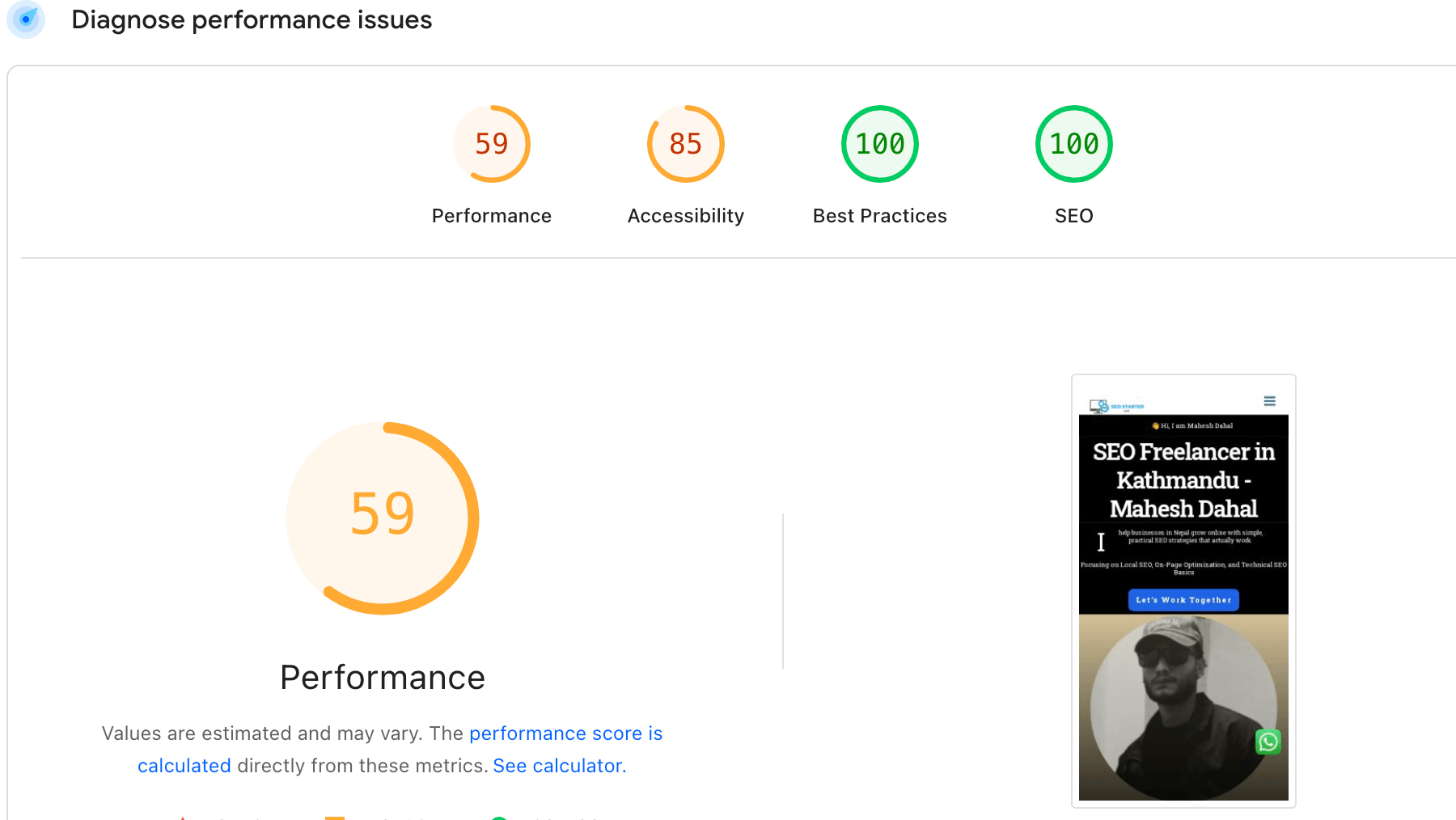
The website had several performance issues affecting both SEO and user experience:
- Slow page load speed
- Poor Core Web Vitals scores
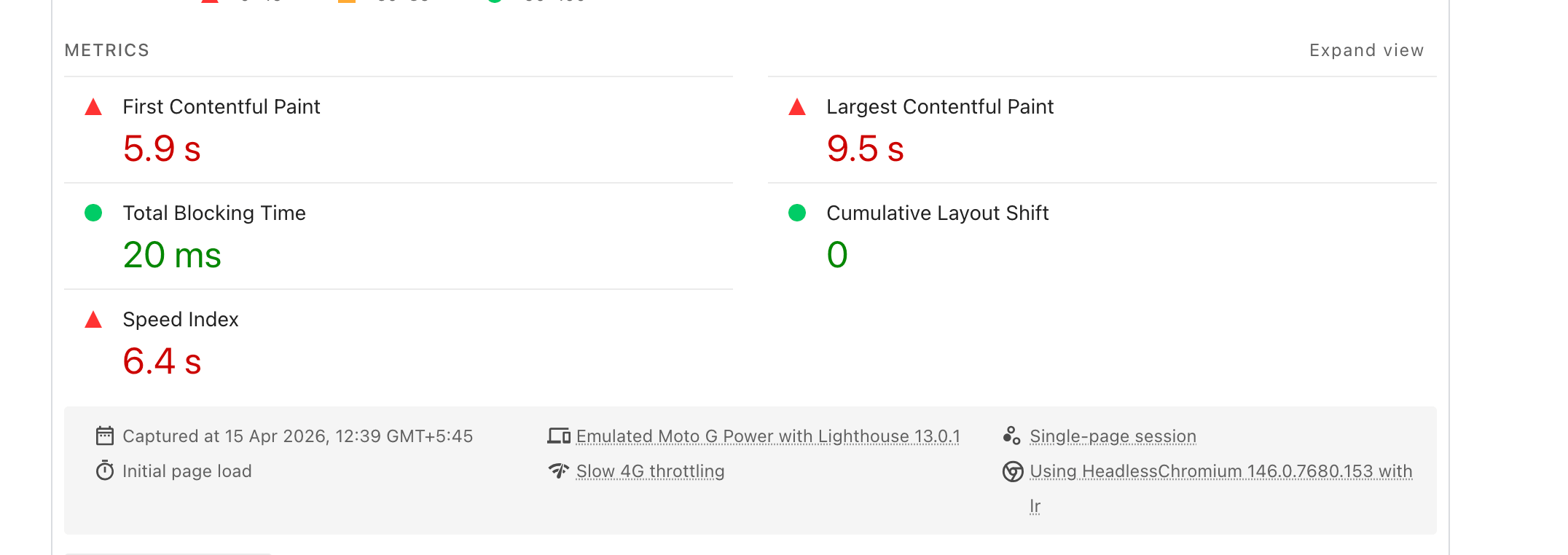
- High Largest Contentful Paint (LCP)
- Layout shifts affecting user experience (CLS issues)
- Unoptimized images and heavy scripts
These issues were negatively impacting search rankings and user engagement.
Audit & Analysis :
I conducted a technical SEO audit using:
- Google PageSpeed Insights in Google Search Console.
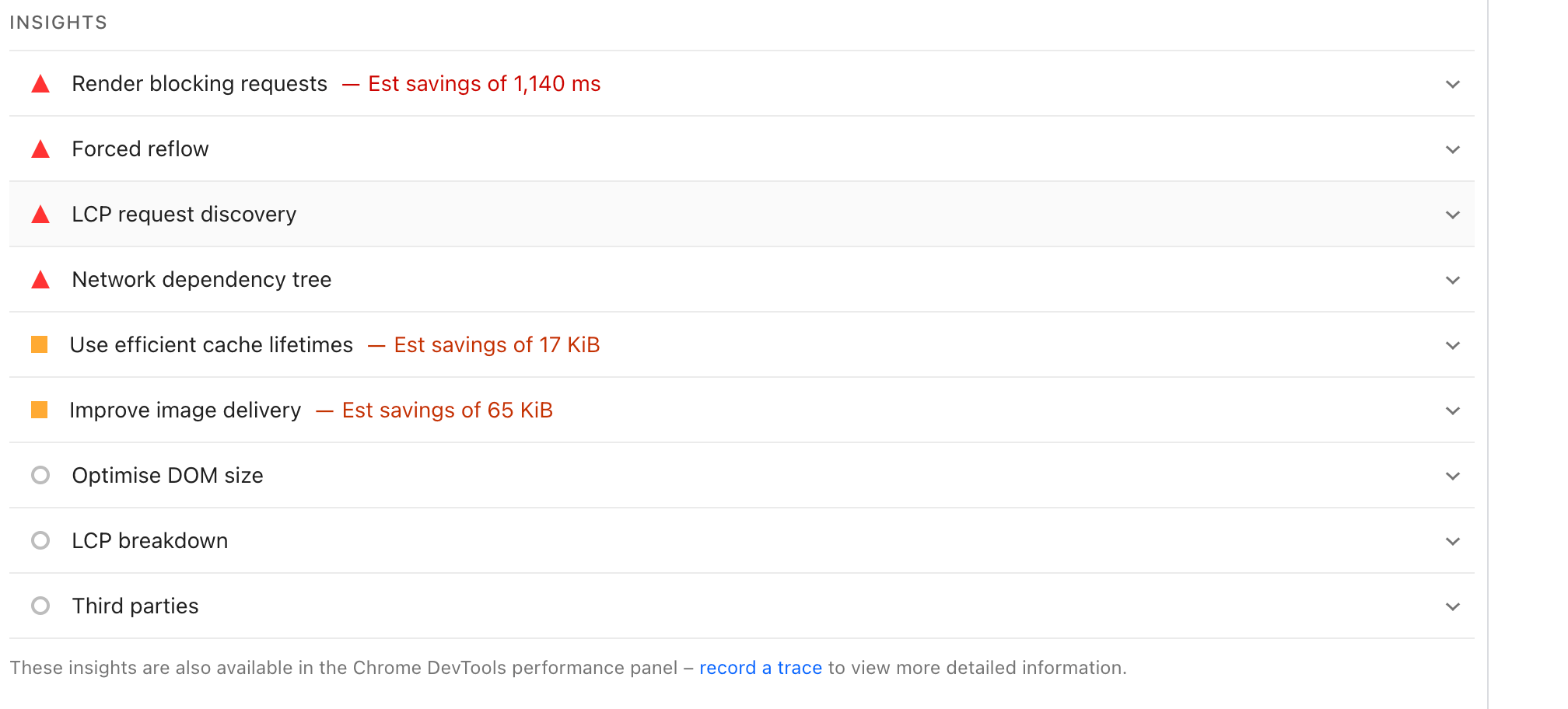
Key issues identified:
- Large image sizes
- Render-blocking CSS & JavaScript
- No proper caching
- Unoptimized fonts
- Network dependency tree
- LCP request discovery
What I Did (Technical SEO Fixes)
1. Image Optimization
- Compressed images
- Converted to WebP format
- Implemented lazy loading
2. Improve Core Web Vitals
LCP (Largest Contentful Paint)
- Optimized hero images
- Reduced server response time
CLS (Cumulative Layout Shift)
- Fixed layout shifting elements
- Set proper width/height for images
INP / Interaction Optimization
- Reduced JavaScript execution time
3. Speed Optimization
- Minified CSS, JS, HTML
- Removed unused CSS
- Deferred non-critical JavaScript
4. Caching & Performance
- Enabled browser caching
- Reduced server requests
5. Technical Improvements
- Reduced DOM size
- Optimized fonts loading
- Preloaded critical resources
Results
After implementing technical SEO improvements:
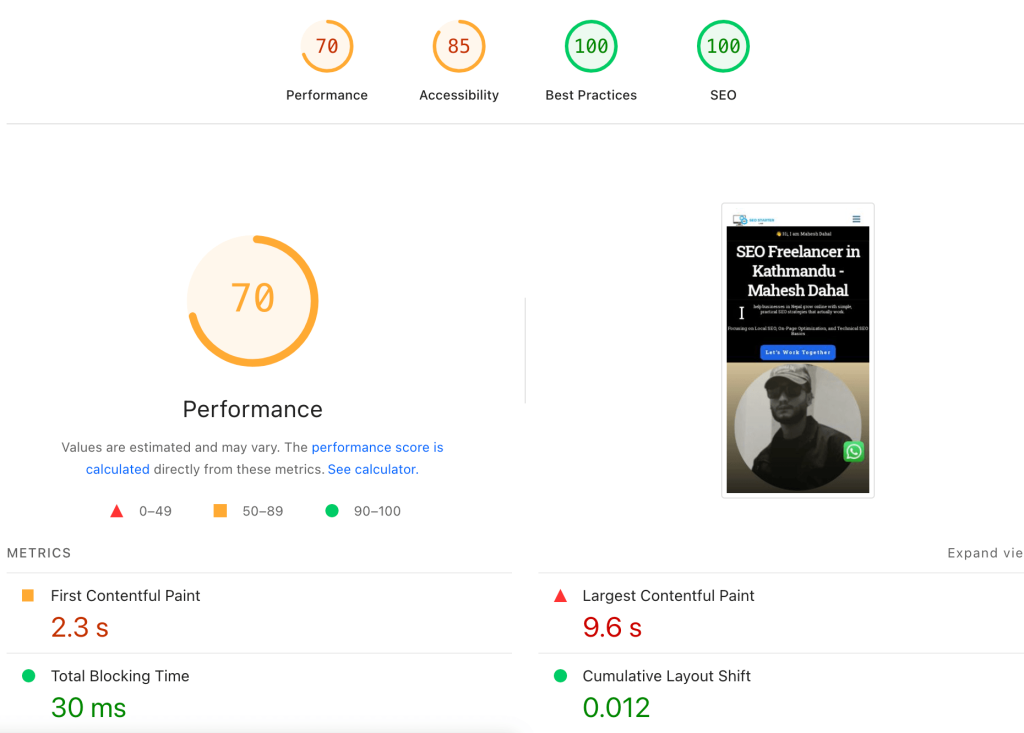
- Page load speed significantly improved
- Core Web Vitals moved into “Good” range
- LCP reduced (faster loading time)
- CLS issues resolved (stable layout)
- Better user experience and engagement
Before vs After
Before:
- Slow loading pages
- Poor Core Web Vitals
- High bounce rate
After:
- Fast-loading pages
- Optimized performance
- Improved SEO signals
JavaScript Optimization & Cross-Device Fix
During the optimization process, I encountered a device-specific issue between Android and iOS browsers. When applying delayed JavaScript execution in LiteSpeed Cache, the mobile navigation menu failed to function properly on iOS devices, while it worked correctly on Android. To resolve this, I adjusted the JavaScript settings by switching from delay to defer for critical scripts. This ensured smooth navigation functionality across all devices while still maintaining strong Core Web Vitals performance.
Key Learnings
- Technical SEO plays a major role in rankings
- Core Web Vitals directly impact user experience
- Small optimizations can create big performance gains
Conclusion
Improving Core Web Vitals helped enhance both SEO performance and user experience. Technical optimization is essential for any website aiming to rank higher and retain users.
Want to improve your website speed and SEO performance?
👉 Contact me for a technical SEO audit.